The unit record
Availability
This page concerns organisations running Graphlake.
What it is for
The Unit record tab lists the units attached to a property or a building, gives access to the detailed record of each one, and lets you download it as a PDF.
This tab requires Graphlake
It is only available to organisations running Graphlake. Organisations using Abyla do not see it.
Step by step
Find a unit
- Open a property or a building from your portfolio list.
- Click Unit record in the navigation menu.
- The list shows, for each unit, its code, its type and its floor area.
- Sort by clicking a column header, or search for a specific unit in the search bar.
- Click a row to open the detailed record.
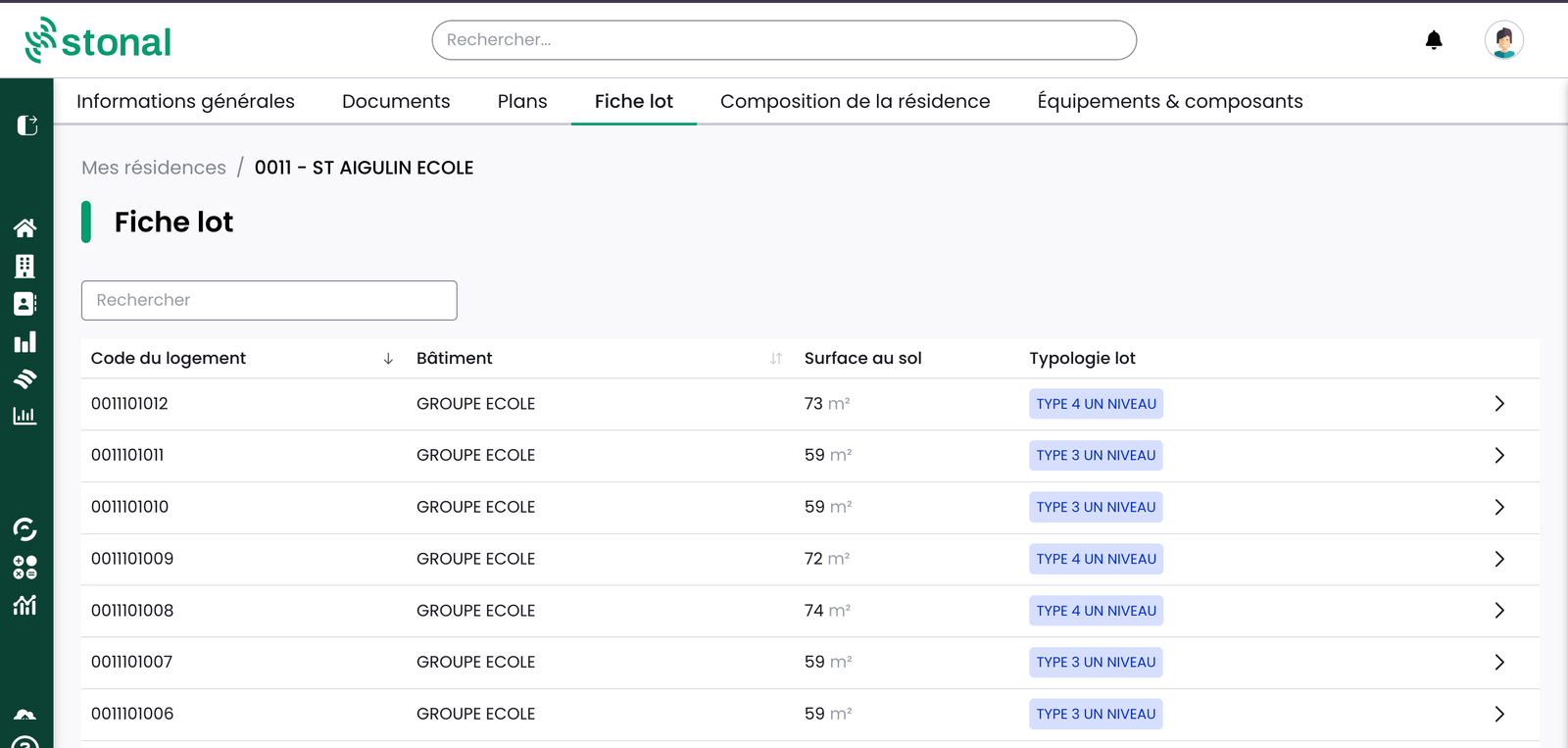
Read the record of a unit
The record has three blocks:
- Dwelling data — the properties of the Identity axis: areas, use of the unit, address.
- Technical data — every property from the other axes available for this unit.
- EPC — energy performance. For now the rating only; consumption and greenhouse gas emissions are coming.
A navigation tip: click the unit name in the breadcrumb to open the list and move straight to another unit, without going back to the full list.
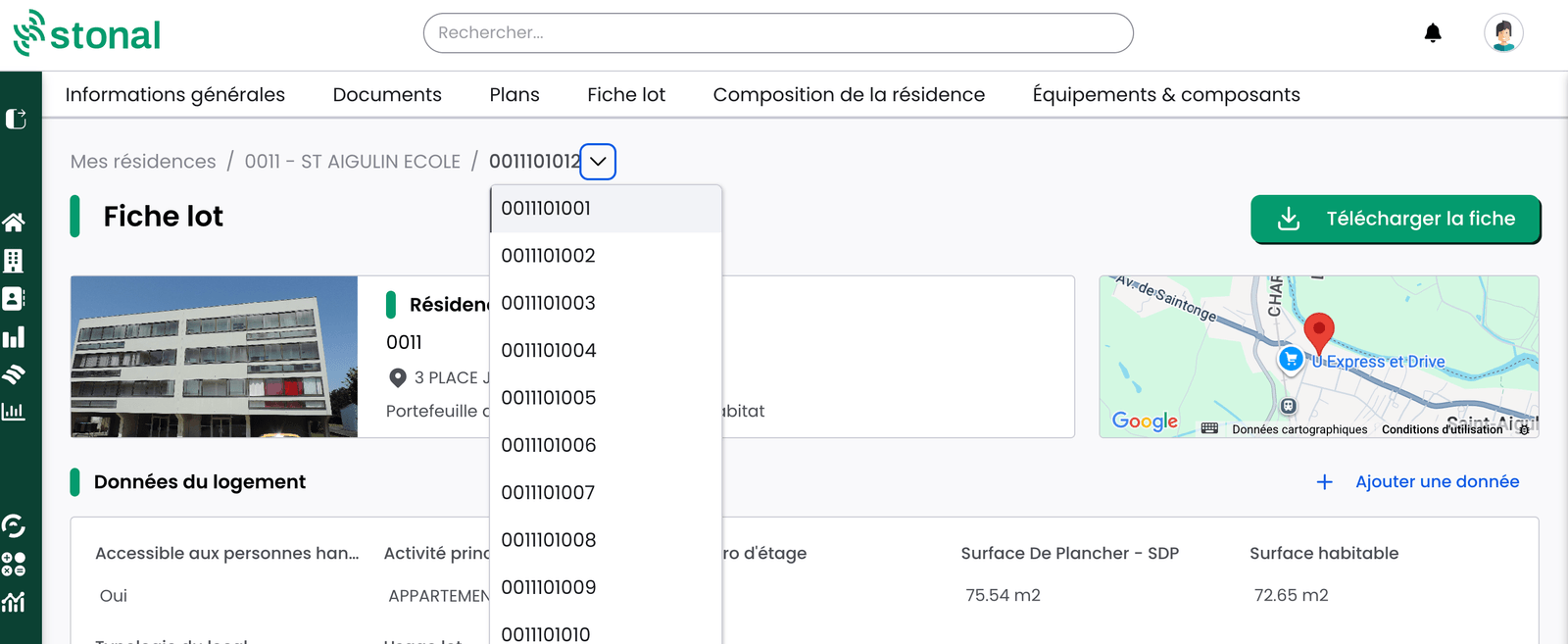
Download the record
The "Download record" button generates the PDF on your machine.

Complete or correct the data
If you have the permission, you can add or correct data unit by unit from its record, using the "Add data" button, or in bulk through the Query tool.
Good to know
- Only properties that hold a value are shown. A missing property means no data exists for that unit — it is not a display problem.
- The GL code is the unit's business identifier in your management system. It is used as the reference label in the record, and is changed from the composition tab.
- Roofs or plant rooms in the list? They have been attached to a unit code in your source data. That is a data configuration matter, not a malfunction.
See also
- General information for a property
- Querying data — correcting in bulk