My properties
What it is for
This page lists all your properties and all your buildings. Select a property or a building to reach its information, its documents, its plans, its unit records, and the description of the equipment it is made of.
Depending on your organisation, this module may be called "My assets".
The screen explained
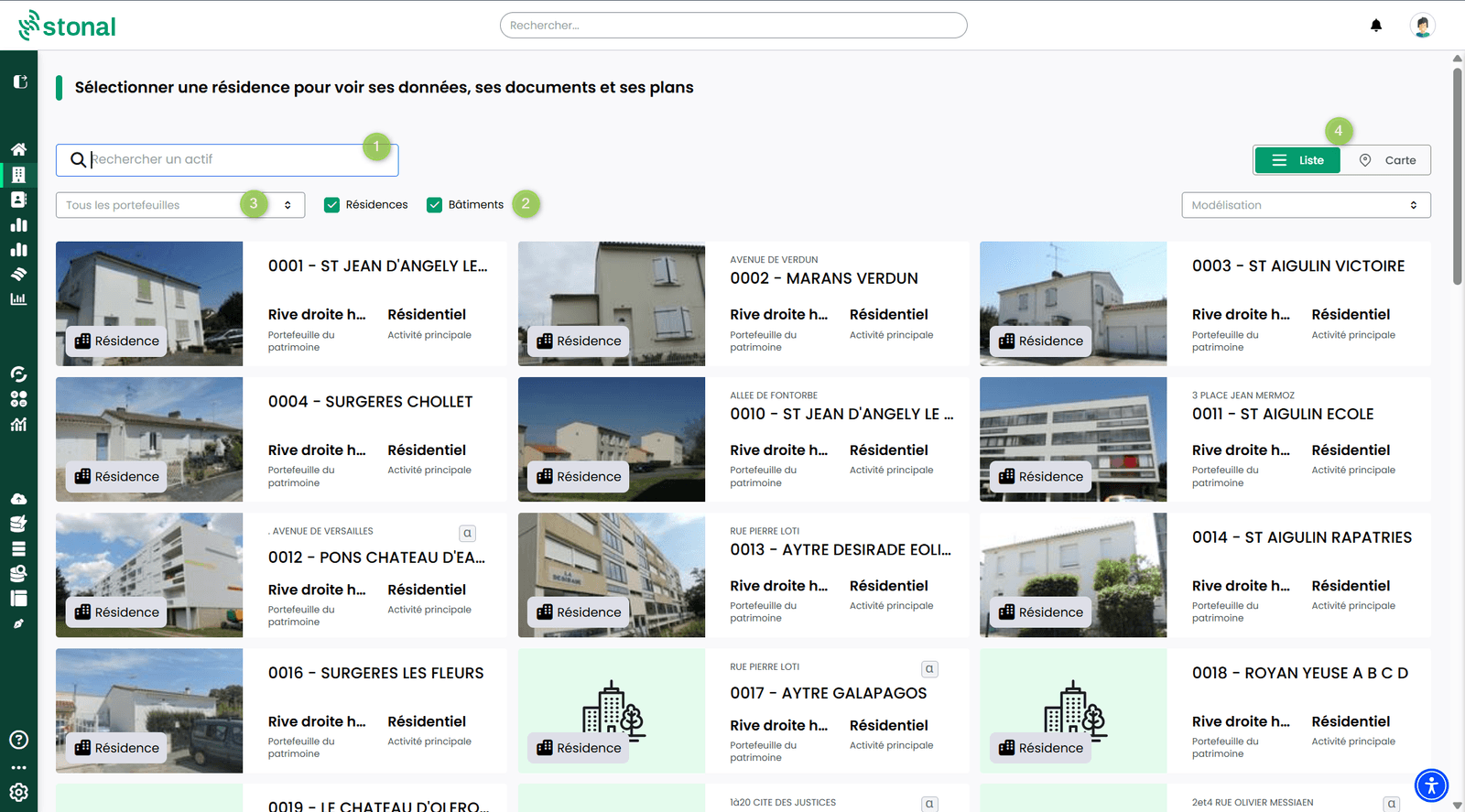
- Search bar — find a property or a building by its code or its name.
- Filter — restrict the display to properties or to buildings.
- Sub-portfolio — if your portfolio is segmented (by branch, for instance), tick the branch to see only its properties.
- Display — switch between the map and the list view, whichever suits you best. Click a property or a building directly to open it.
Good to know
The list you see depends on the access you have been granted. You may not see every property in the organisation.
See also
- General information for a property
- The search bar — to search inside documents too