Platform - Plans tab (Model)
This page concerns organisations still on Abyla (the Model interface).
What it is for
If your organisation is still on an earlier version of our plan management tool, Model On Platform is what you see in the Plans tab. It is built on Abyla.
On the latest version, this tab is the one described in Plans.
This tab lets you view the digital models of the selected property or building. The same data also feeds your analysis reports.
The screen explained
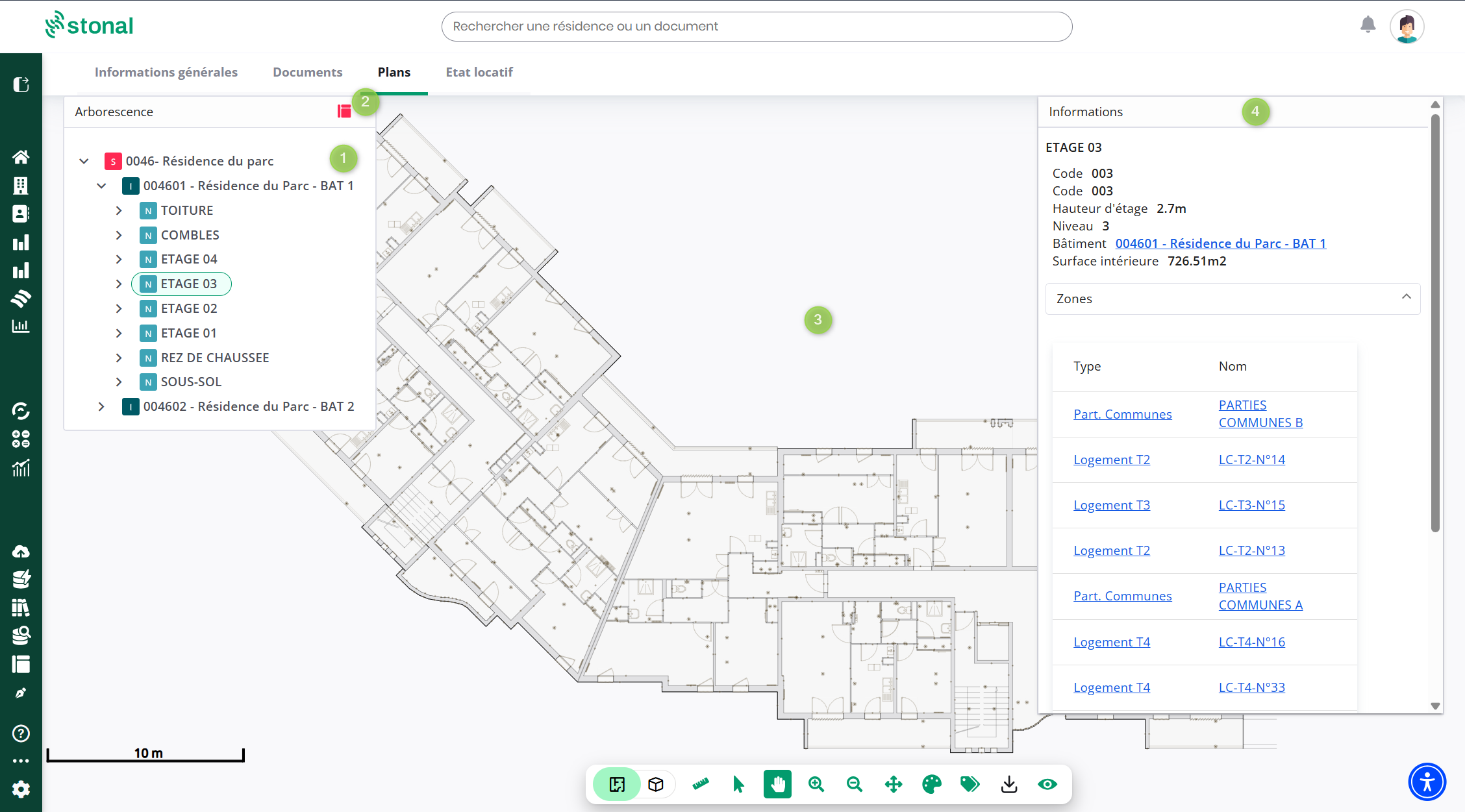
| Marker | What it gives you |
|---|---|
| 1 | Tree — the breakdown of the property or building. Expand it and select an element to zoom in on it |
| 2 | Model — open Model, the 3D model viewer |
| 3 | Plan — the viewing area |
| 4 | Information panel — for the selected element, all its information: renewal date, make, equipment type… |
The information panel appears on the right, whether you selected the element in the tree or directly on the model.
The toolbar
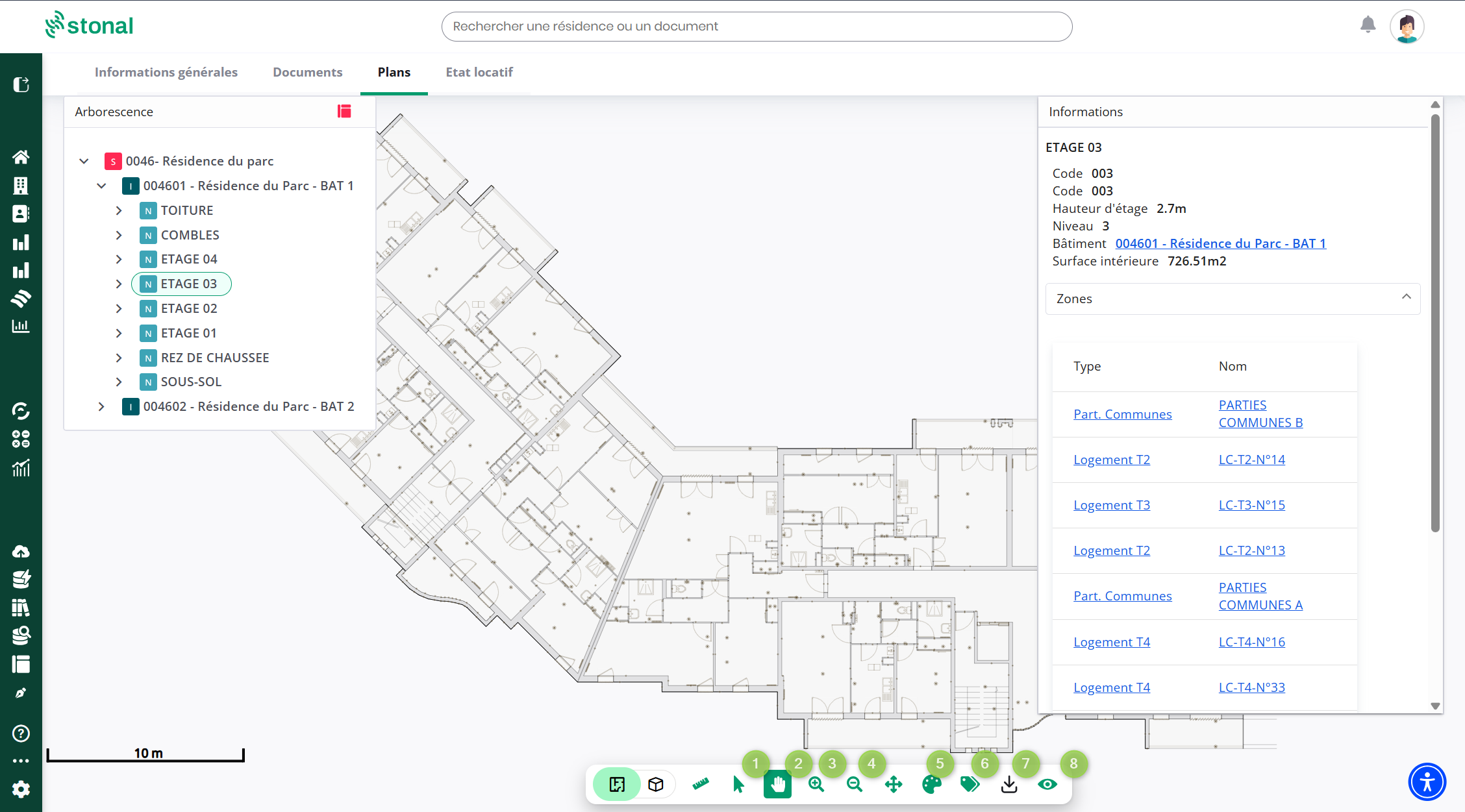
| Marker | Tool | Use |
|---|---|---|
| 1 | Selector | Select equipment, rooms… |
| 2 | Cursor | Move the plan — right-click also works |
| 3 | Zoom in | Ctrl + scroll wheel also works |
| 4 | Zoom out | Ctrl + scroll wheel also works |
| 5 | Themes | Colour the components that share a theme: vacant dwellings, dwelling types… |
| 6 | Labels | Show the name and area of spaces on the plan |
| 7 | PDF download | Get the plan as a PDF |
| 8 | Overlays | Show or hide certain elements: plots, networks, areas… |
You move around the building by selecting the level you want: site, building, floor.
Themes
| Marker | What it gives you |
|---|---|
| Tree | Selecting the level |
| Theme type | The themes available, which depend on the level chosen. They apply to zones, rooms or equipment |
| Legend | It appears as soon as the theme is applied |
| Themed plan | The plan colours itself automatically |
Site areas, for instance, are only visible when the site is selected. If a theme you expected does not appear, check which level you are on first.
Good to know
Would these functions be useful to you and you do not have access? Speak to your usual contact.